Privacy-first app analytics, free on Cloudflare
See where people drop out of onboarding and which paywalls turn into purchases. Counts such as "paywall shown" or "export failed", never what's in them: no user IDs, no IP addresses, no device fingerprints.
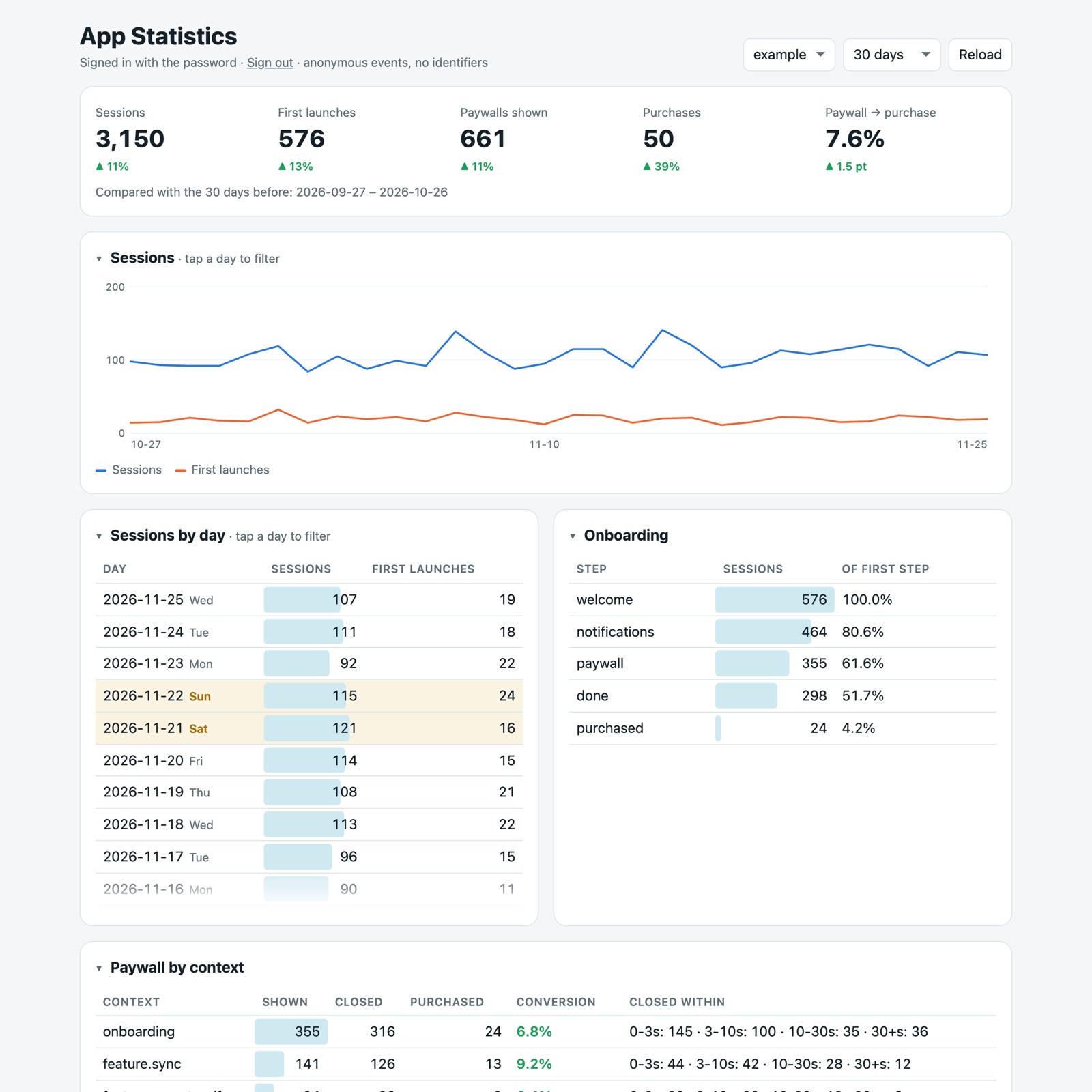
The dashboard for one app. The live demo has the same dashboard with made-up numbers.
What you get
An open-source Swift package, a Kotlin client, and two Cloudflare Workers with one D1 database. MIT licensed.
See where people drop out
The onboarding funnel shows how many sessions reach each step, and the paywall view shows which screens' paywalls turn into purchases.
No personal data, even by mistake
Each app has a schema of the events, properties and values it may send. Anything else is dropped before it's stored, so free text can't leak.
No server, nothing to pay
Two Workers and one database, sized to fit Cloudflare's free plan. Your data stays in your own Cloudflare account.
Built for apps
Purchases, version adoption, days since install, and breakdowns by OS, country and device, plus panels for each app's own events.
Set up in about 5 minutes
You need Node 22.5 or newer and a Cloudflare account. The free plan is enough.
- Deploy your instanceIt creates the database, deploys both Workers, and prints your endpoint, app keys and dashboard password.
git clone https://github.com/skoroapps-hq/skoro-stats && cd skoro-stats/server
npm install
npx wrangler login
npm run setup
- Describe your app's eventsList the events, properties and allowed values in
config/apps.js.npm testchecks your config fits the free plan, thennpm run deploy. - Add the client to your appThe Swift package (iOS 16+) or
com.skoroapps:skoro-statsfrom Maven Central.let stats = StatsCollector(enabled: { settings.sharesStatistics }) stats.sessionStart(daysSinceInstall: daysSinceInstall) stats.transport = HTTPStatsTransport(app: "notes", key: "<its key>", endpoint: URL(string: "https://<your ingest Worker>/v1/events")!)
Using Claude Code or another coding agent? The README has a prompt that sets it all up for your app.
Privacy, in plain words
Each event stores when it arrived, the app, its version, the major OS version, the language, the country, the device type, the paid state, a session id, and the event's allowed properties.
Sessions can't be linked
The session id is random for each launch and never saved on the device, so events can't be tied to a person or a device across launches.
No IP addresses kept
The address is used only by the rate limiter and isn't stored anywhere.
13 months, then gone
A daily job deletes events older than 13 months.
Compared with
Pick a hosted service if you don't want to run anything yourself, or if you need retention cohorts, user journeys or a web SDK: skoro-stats has none of those.
| skoro-stats | TelemetryDeck | Aptabase | Firebase Analytics | |
|---|---|---|---|---|
| Cost | Free, within Cloudflare's free plan | Free up to 50,000 events a month, then paid | Free up to 20,000 events a month hosted, then paid; or free on your own server | Free |
| Where the data lives | Your Cloudflare account | Their servers | Their servers, or yours | Google's servers |
| Open source | Everything (MIT) | The SDKs (MIT), not the server | Everything (server AGPL, SDKs MIT) | No: the analytics part is a closed binary |
| You run it | Yes, about 5 minutes to set up | No | No, unless you host it | No |
Prices as of November 2026, from each product's own pages.
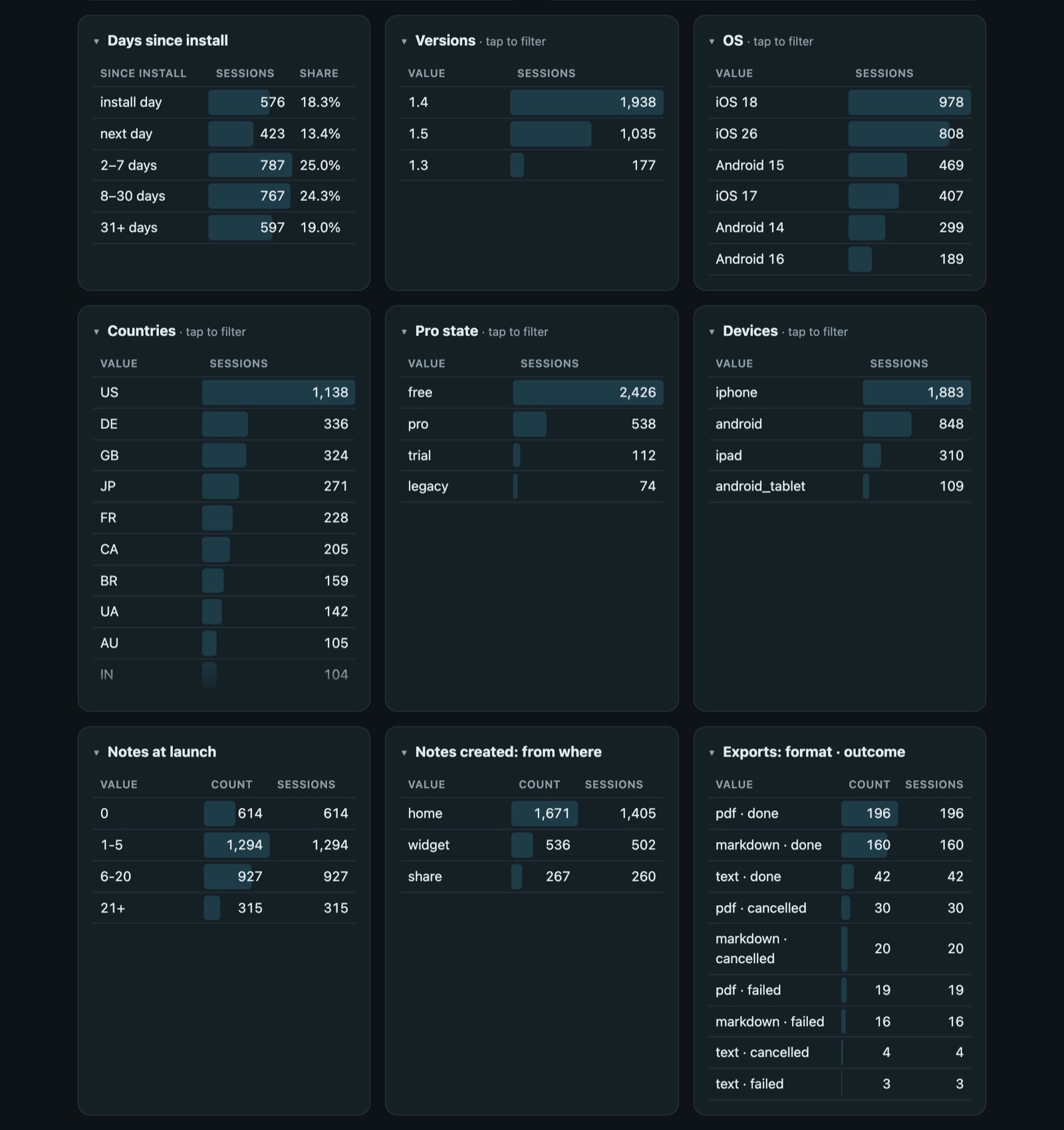
Further down: days since install, versions, OS, countries, paid state, devices, and the app's own panels.